
Compare
Claude Code vs GitHub Copilot 2026: Which One Wins?
Claude Code vs GitHub Copilot isn’t really a fight between two chatbots. It’s a question of where you want the AI to sit while you work. Copilot lives in your editor and finishes your sentences as you type. Claude Code sits in your terminal like a colleague you hand a job to, then you review what comes back. Both have grown fast in 2026, both can now run agents, and both have changed how they charge. This guide compares how they work, what each costs, where each one wins, and how to decide. If you want the deeper background first, our how to use Claude Code guide covers setup, and the GitHub Copilot pricing review breaks down every Copilot plan.
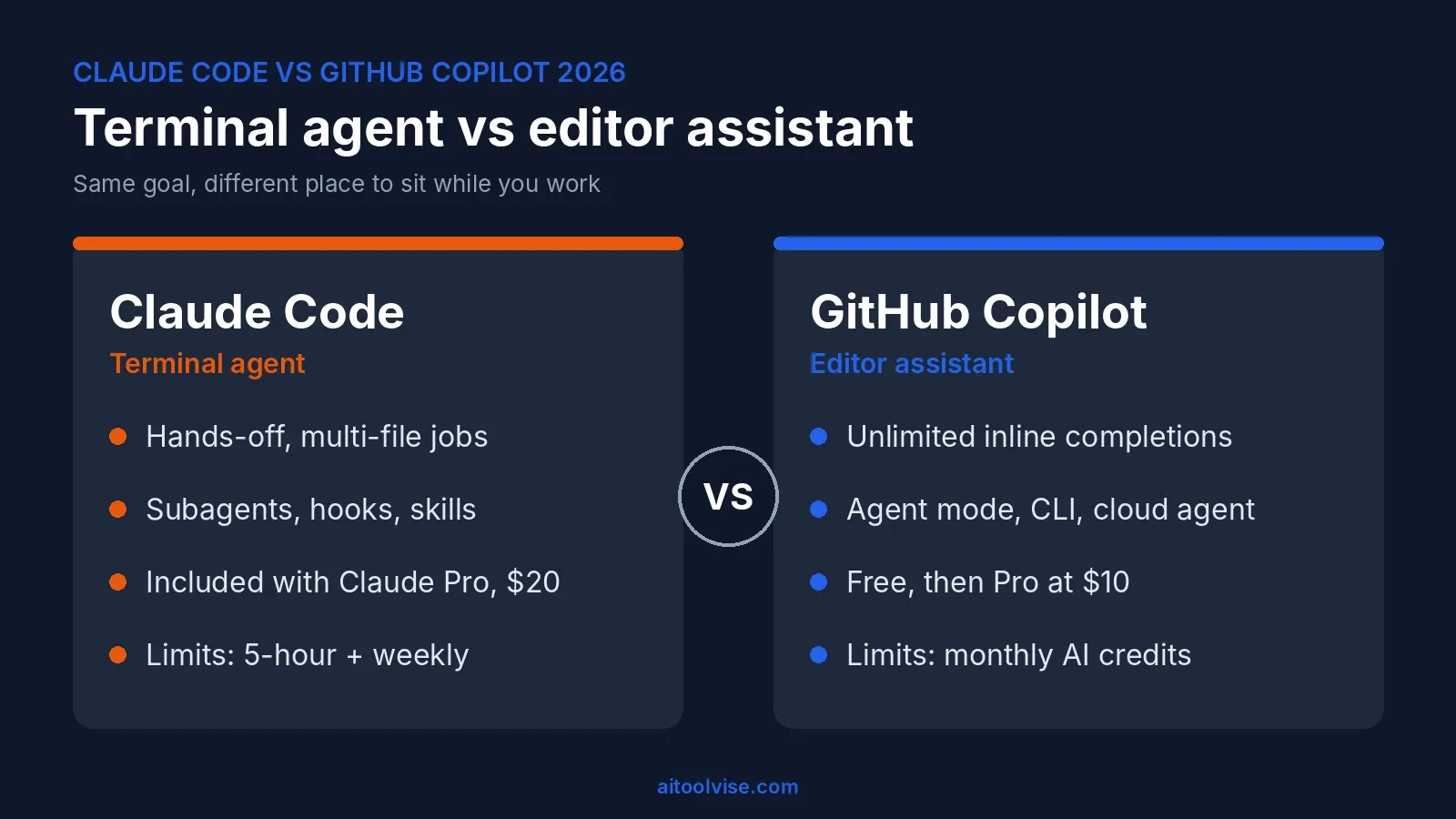
Claude Code vs GitHub Copilot at a Glance
The short version of Claude Code vs GitHub Copilot: Copilot is the cheaper, easier way in, and Claude Code is the stronger pick when you want to delegate whole tasks. Here’s the side-by-side.
| Claude Code | GitHub Copilot | |
|---|---|---|
| Main form | Terminal agent, plus VS Code, JetBrains, desktop and web | Extension for VS Code, Visual Studio, JetBrains and more, plus a CLI |
| Models | Claude models | Claude, GPT, Gemini and others |
| Inline autocomplete | No | Yes, unlimited on paid plans |
| Agents | Subagents, background agents, routines | Agent mode, CLI, cloud agent |
| Entry price | Included with Claude Pro, $20/month | Free, then Pro at $10/month |
| Heavy-use tiers | Max from $100/month | Pro+ $39, Max $100 |
| Usage model | 5-hour windows and a weekly cap | Monthly AI credits at $0.01 each |
| Best for | Delegating big, multi-file jobs | Everyday coding and GitHub-centric teams |
Terminal Agent vs Editor Assistant: How Each One Works
Claude Code is an agent that reads your codebase, edits files, runs commands and works with git. According to Anthropic’s overview, it runs in the terminal, in IDE extensions, in a desktop app and on the web, and they all share the same engine, so your CLAUDE.md rules and settings carry across. Copilot started as autocomplete and has grown outward: chat, an agent mode, a command-line tool and a cloud agent.
Claude Code vs GitHub Copilot in VS Code
Inside VS Code, the difference is obvious within five minutes. Copilot feels native: you type, it suggests, you press Tab. Claude Code’s extension works more like a side panel, with inline diffs, plan review and conversation history. You describe the job, review the plan, and approve changes. Neither side of Claude Code vs GitHub Copilot in VS Code is better in the abstract. If you spend your day writing code line by line, Copilot saves more keystrokes. If you spend it asking for changes across several files, the Claude Code panel is nicer.
Copilot CLI vs Claude Code
In the Claude Code vs Copilot CLI matchup, both can now live in your terminal. Copilot CLI is available on every Copilot plan, and Claude Code needs a paid Claude plan or an API account. Copilot CLI’s trick is its link to GitHub: you can start something locally and push it to the cloud. Claude Code’s trick is depth, since it has hooks, skills, subagents and MCP connections for plugging into your tools. We covered the Cursor side of this in our Cursor vs Claude Code comparison, and the same logic applies here.
Agent Mode Compared: Claude Code Agents vs Copilot Agent Mode
For agents, Claude Code is the more established option in the Claude Code vs Copilot agent matchup, and Copilot is catching up quickly. Claude Code can spin up subagents that work on different parts of a task, run several sessions in the background, and even run on a schedule through routines. It can also work in CI, through GitHub Actions.
Copilot’s agent mode works inside your editor and uses whatever context you have open. Where it gets interesting is the handoff. In Copilot CLI you can type /delegate (or start a prompt with &), and GitHub’s cloud agent takes over remotely, keeps working even if your laptop shuts, and opens a draft pull request when it’s done. That’s a nice workflow if your team lives in pull requests.
Does Copilot Have Something Like Claude Code?
Yes, in spirit. Copilot CLI plus the cloud agent covers a lot of the same ground. GitHub has also been letting users run Claude and Codex agents inside Copilot through Agent HQ. When that was announced in February, it was a public preview for Pro+ and Enterprise plans, so check your own plan before counting on it.
Claude Models Inside Copilot vs Claude Code Itself
A lot of people searching this are really asking whether they can get Claude’s quality through Copilot instead. You can. Copilot’s supported Claude models include recent Sonnet, Opus and Haiku versions, and Copilot Free and Student users get models through auto selection only. Two catches are worth knowing. First, the 1 million token context window for Claude models is available in VS Code and Copilot CLI only. Second, a larger context window or higher reasoning level uses more AI credits. Reports also say GitHub pulled Opus models from the Pro plan in April, so the strongest models mostly sit on higher tiers.
So in Claude Code vs GitHub Copilot, the model can be the same while the experience differs. Claude Code is built around Claude models, so its tools, prompts and limits are tuned for them. Copilot is a general host that lets you swap models. Which feels better is down to taste, and our best AI coding tools roundup shows where each lands overall.
Claude Code vs GitHub Copilot Pricing: What Each One Really Costs
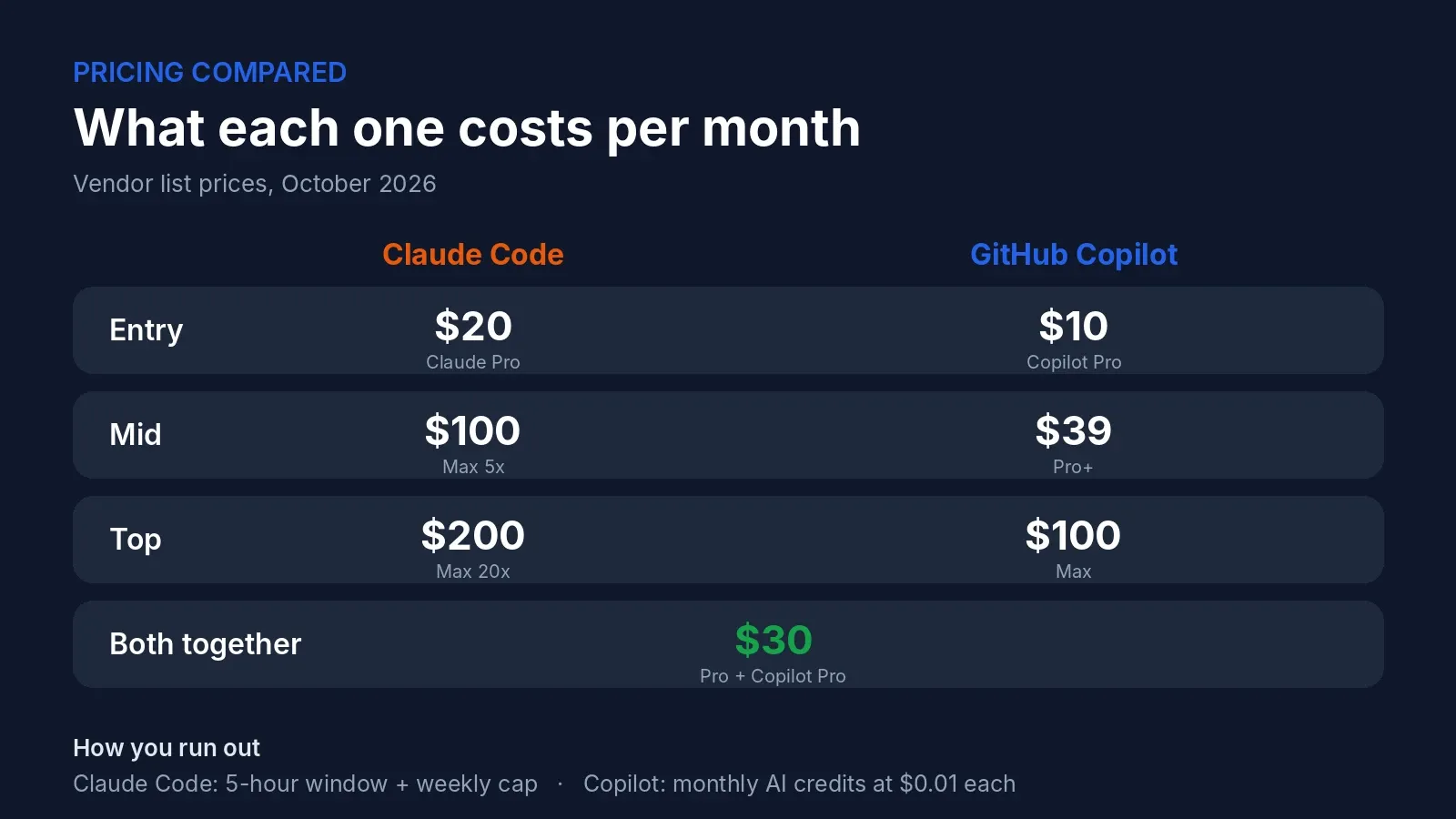
In the Claude Code vs Copilot cost question, Copilot is cheaper at the start. Here’s what you’d pay for each, using the vendors’ own pricing pages.
| Plan | Claude Code | GitHub Copilot |
|---|---|---|
| Free | Not included | $0, 2,000 completions a month |
| Entry | Claude Pro, $20/month ($17 billed yearly) | Pro, $10/month |
| Mid | Max 5x, $100/month | Pro+, $39/month |
| Top | Max 20x, $200/month | Max, $100/month |
On the Claude side, Anthropic’s pricing page says Claude Code is included with Pro and Max. Max starts at $100 and comes in 5x and 20x usage levels. On the Copilot side, the numbers come from GitHub’s plans page, and the credit math is broken down in the review linked earlier.
What’s different is how you run out. Copilot’s cost is credits: 1,500 on Pro, 7,000 on Pro+ and 20,000 on Max, at a cent each. When they’re gone you pay overage, set a budget or wait. Claude Code’s limit is time: a rolling 5-hour window plus a weekly cap that’s shared with Claude chat. When you hit it you wait, or move up a tier. One gotcha worth knowing: if an ANTHROPIC_API_KEY is set in your environment, Claude Code can bill your API account instead of your subscription, so check which one it’s using.
Running both is common. Claude Pro plus Copilot Pro is about $30 a month. If you’re a heavy Claude user on Max 5x, add Copilot Pro and you’re at about $110. For a Claude-only view, see our Claude pricing review.
Can You Use Claude Code if You Have GitHub Copilot?
Yes. Claude Code and GitHub Copilot don’t conflict, and a lot of developers run both. A simple split works well. Let Copilot handle autocomplete and quick questions while you type, and bring Claude Code in when a task spans many files, like a refactor, a migration or a big bug. The only real cost is two subscriptions. If you only want to pay for one, pick based on the next section.
Where Copilot Wins and Where Claude Code Wins
Copilot wins on:
- Price: free to start and $10 for Pro
- Inline completions that are unlimited on paid plans
- Support across many editors, including Visual Studio, JetBrains and Xcode
- Model choice
- GitHub integration, from pull requests to the cloud agent
Claude Code wins on:
- Long, multi-file tasks you want to delegate
- Depth of customization: hooks, skills, subagents, CLAUDE.md
- Working across the terminal, IDE, desktop and web
- Scheduling and automation
This is also the honest answer to “why do people say Copilot is bad compared to Claude?” Mostly they’re judging an autocomplete tool on autonomous work, which isn’t what it was built for. And since June, credits that vanish quickly have soured the mood too.
Is GitHub Copilot Obsolete?
No, but its role has changed. A year ago it was the default AI coding tool. Now it’s one of several, and the competition is sharper on agents. What keeps it relevant is the price of entry, how many editors it works in, and its tie to GitHub. If your whole team uses GitHub and wants something cheap and standard, it’s still an easy choice.
Other Options: Cursor, Codex and Beyond
If you’re asking whether there’s anything better than Claude for coding, the honest answer is that it depends on your workflow. Cursor is an AI-first editor, and our Cursor vs GitHub Copilot comparison covers how it differs. Codex is OpenAI’s coding agent, and it’s now something you can also run inside Copilot on certain plans. Our how to use Cursor AI guide is a good place to start if you want to try the editor route. Give any of them the same small task and compare results.
What Developers Say About Each Tool
Complaints about each tool share a theme: limits and cost. On the Copilot side, The Register reported on launch day that some Pro+ users used about 8% of their monthly credits in two hours. Visual Studio Magazine kept tracking complaints through the summer, and GitHub has since added spend meters and budgets. On the Claude Code side, usage limits come up again and again, especially mid-session. The people shouting loudest are usually heavy users, so if you code casually you may never hit these walls. For a live read, browse r/GithubCopilot and r/ClaudeAI.
Claude vs Copilot for Research
A quick note, since Google mixes these up. Searches like “Claude vs Copilot for research” usually mean Microsoft’s Copilot assistant, which is a different product from GitHub Copilot. For long documents and careful reasoning, plenty of people lean on Claude. Microsoft’s Copilot has the edge if you live inside Word, Outlook and Teams. Neither has much to do with writing code.
Which Should You Get?
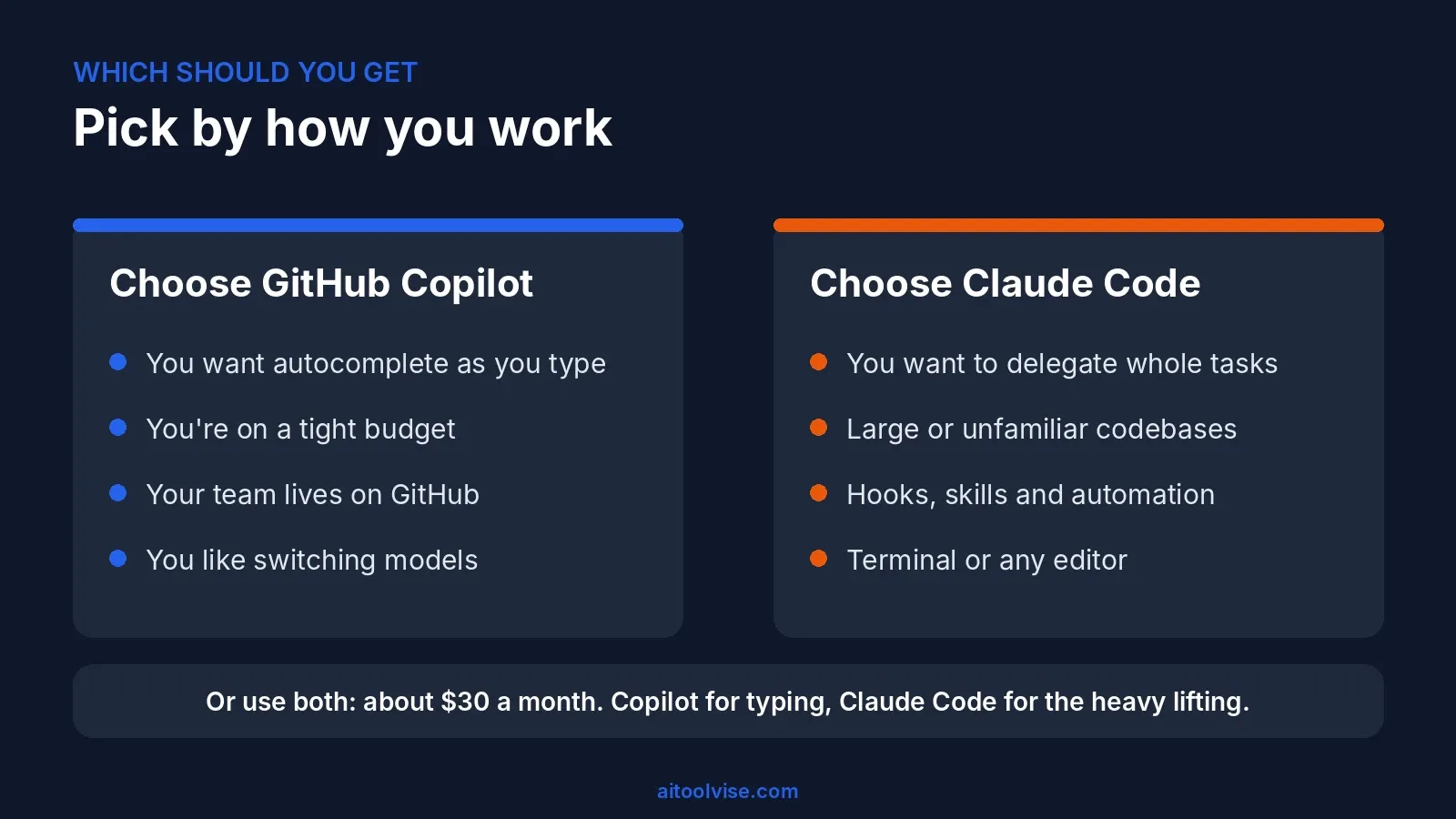
Choose between Claude Code and GitHub Copilot by how you work, not by hype.
Go with GitHub Copilot if:
- You want AI autocomplete in the editor you already use
- You’re on a tight budget, or want a free plan to start
- Your team lives on GitHub and wants central controls
- You like to switch between several models
Go with Claude Code if:
- You’re comfortable in a terminal and want to hand off whole tasks
- You work in large or unfamiliar codebases
- You want hooks, skills and automation around your agent
- You’d rather keep your current editor
Or use both, if $30 a month fits. That’s what I’d do: Copilot for typing, Claude Code for the heavy lifting. If you’re starting fresh, begin with the free Copilot plan, then add Claude Code when you feel the need to delegate. Back on the AI Tool Vise homepage you’ll find more comparisons like this one.
This comparison reflects pricing and features as of October 2026. Both tools change quickly, so check each company’s official pages before you subscribe.
Affiliate Disclosure
This article may contain affiliate links. If you sign up for Claude, GitHub Copilot, or another product through a link on this page, we may earn a commission at no extra cost to you. This helps support the research behind guides like this one. Our opinions are based on independent research and, where possible, hands-on use. Affiliate relationships don’t influence which products we cover or how we rate them.
Frequently Asked Questions
Can I use Claude Code if I have GitHub Copilot?
Sure, lots of people do. Two separate products, two separate bills, so a Copilot plan won't unlock Claude Code and the other way round. Run Claude Code in a terminal next to VS Code, or add its extension, and let Copilot keep doing the autocomplete.
Is there anything better than Claude for coding?
Depends what you're doing. GPT tools, Gemini and Cursor all have their fans, and Copilot lets you swap between models. If I'm handing off a big multi-file job, I'd try Claude Code first. For quick edits in an editor, something else might just feel nicer.
Is GitHub Copilot obsolete?
Nope. Inline suggestions are still what it does best, and they stay unlimited on paid plans. It's also picking up agent features like the CLI and a cloud agent. What's changed is that it isn't the only option anymore, and the pricing got messier.
Does Copilot have something like Claude Code?
Pretty close. Copilot CLI runs in your terminal, and /delegate sends a task to GitHub's cloud agent, which comes back with a draft pull request. Some plans can even run Claude and Codex agents inside Copilot. Feels different from Claude Code, same basic idea.
Why is Copilot so bad compared to Claude?
I wouldn't say bad, though I see why people do. Copilot is an autocomplete tool first, so judging it on long autonomous tasks sets it up to disappoint. And since June, credits that drain fast haven't helped its reputation.
What is the GitHub Copilot controversy?
The recent one is the billing switch on June 1, 2026. Usage-based credits left many developers with bills they couldn't predict. The older one is a 2022 lawsuit asking whether training on public open-source code respected the licenses.
Should I get Claude Code or GitHub Copilot?
Mostly want autocomplete and a bit of chat? Copilot at $10 is tough to beat. Want to hand over whole tasks and fine with a terminal? Claude Code. Do a bit of both? Plenty of people just pay for both.
Is GitHub Copilot built on ChatGPT?
It began on OpenAI's Codex model back in 2021, but it's not tied to one model now. These days you can pick Claude, Gemini, GPT and others, depending on your plan.
Claude Code vs GitHub Copilot pricing: which costs more?
Copilot gets you in cheaper, $0 or $10 a month. Claude Code needs a paid Claude plan, so it's $20 for Pro or $100 and up for Max. Heavy use shuffles things around though, since Copilot runs on credits and Claude Code on time limits.
Claude Code vs GitHub Copilot cost for heavy use?
Both get pricey if you run agents all day. On Copilot you can burn through your credits and then pay overage, a cent each. On Claude Code you run into the 5-hour and weekly limits, and Max is where most heavy users end up.
What is GitHub Copilot Pro and is it enough?
Pro is $10 a month with unlimited completions and 1,500 AI credits. Fine for autocomplete and some chat. Lean on agents a lot and those credits go fast.
Claude Code vs GitHub Copilot in VS Code, which is better?
Copilot feels more at home there, suggestions just appear as you type. Claude Code's extension gives you diffs, plan review and chat history in a side panel. I'd use Copilot for typing speed and Claude Code for bigger jobs.
Claude Code vs GitHub Copilot CLI, how do they differ?
They overlap more than you'd expect. Both live in the terminal, both edit files and run commands. Claude Code is the more mature standalone agent, while Copilot CLI is wired into GitHub, including the handoff to the cloud agent.
Claude Code vs Copilot agent mode?
Agent mode sits inside your editor and works from whatever context you've got open. Claude Code looks across the whole repo from the terminal and can spin up subagents. Agent mode is handy for quick stuff, Claude Code for longer jobs.
What does Reddit say about Claude Code vs GitHub Copilot?
Same two gripes keep showing up. Copilot users say credits run out quickly since June, and Claude Code users say they hit usage limits mid-session. Plenty end up using both. Skim the threads yourself to see the current mood.
Claude Code vs GitHub Copilot vs Codex?
Codex is OpenAI's coding agent, and GitHub now lets certain plans run it next to Claude inside Copilot. Honestly, try each on the same small task and compare the diffs. You'll learn more than from any review, including this one.
Is Claude better than Copilot for research?
Usually that means Microsoft's Copilot, the one in Windows and Microsoft 365, not GitHub Copilot. For long documents and careful reasoning plenty of people prefer Claude. If you live in Word, Outlook and Teams, Microsoft's version wins.